
A fingerprint that holds up, on every profile.
Clout Browser builds each profile a complete, consistent identity on your own computer: user agent, screen, graphics, CPU, memory, fonts, voices, media devices and six noise channels, with time zone, location and language that follow the proxy. Two identities per profile, one for Mac and one for Windows, so a profile looks right wherever your team opens it.
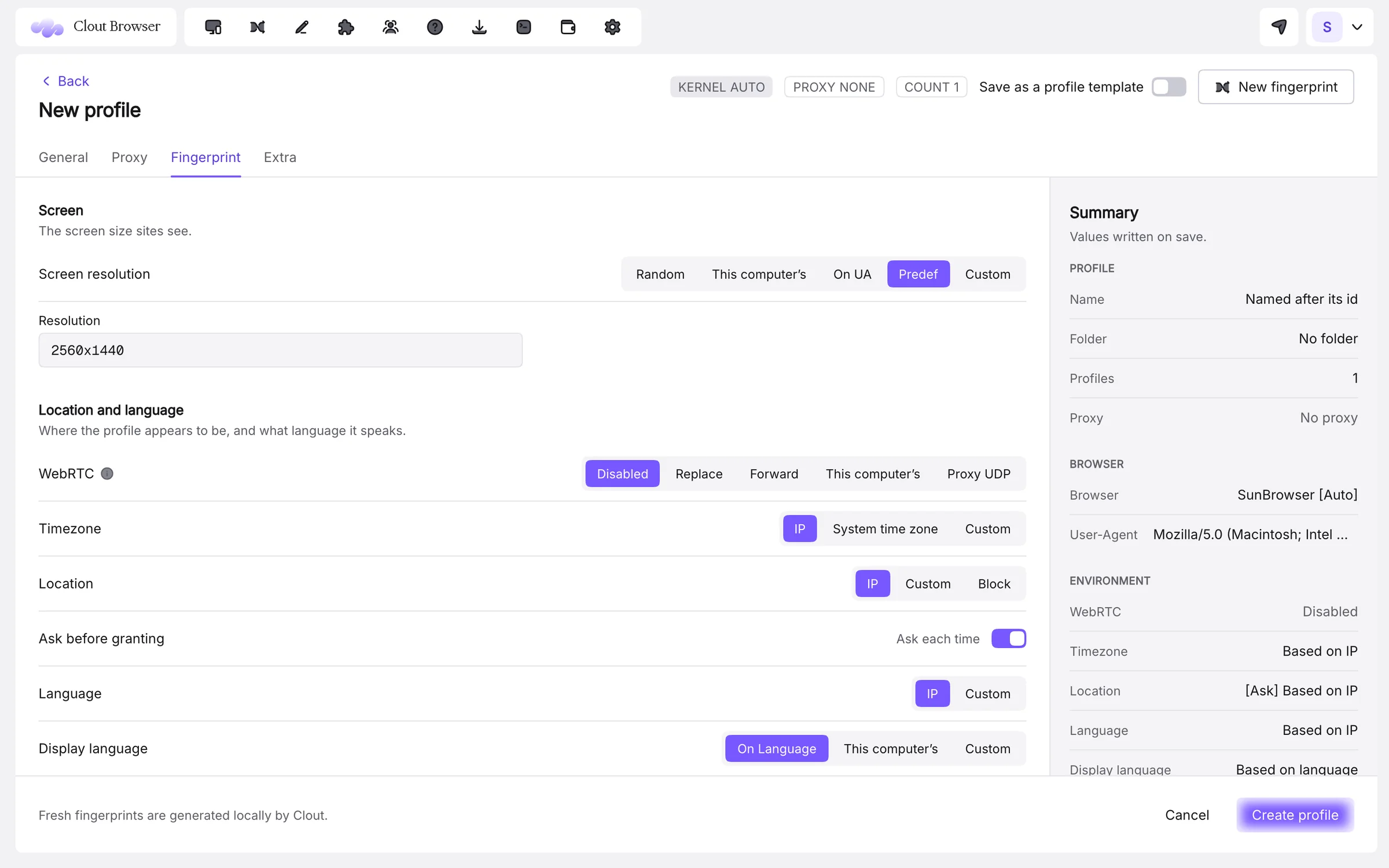
- Made on your computerFresh fingerprints are generated locally by Clout, not downloaded from a shared pool.
- A Mac and a Windows identitySince 0.0.61 every profile carries both; each computer starts the one that matches it.
- Follows the proxyTime zone, location and language can be set from the exit IP, or by hand.
- Override anythingScreen, WebRTC, hardware and noise, per profile, then save the setup as a template.
26 surfaces a site can read. All of them yours.
What Clout Browser sets on every profile, generated to agree with each other, and what you can override.
System and browser
- User agent
- Generated to match the claimed system and engine version, or set your own.
- Operating system
- A Mac identity and a Windows identity per profile; each computer starts the matching one.
- Engine version
- Pinned per profile (SunBrowser or Chroma), so an aged account never changes browser overnight.
- Do Not Track
- Default, on or off.
Screen and graphics
- Screen resolution
- Random, this computer’s, based on the user agent, a predefined size or custom.
- WebGL vendor and renderer
- A graphics card from the same family as the computer that runs it, or custom strings.
- WebGPU
- Based on WebGL, this computer’s, or disabled.
- Hardware acceleration
- Default or off.
Hardware
- CPU cores
- Generated or custom.
- Device memory
- Generated or custom.
- Device name
- A real-looking computer name per profile, or your own.
- MAC address
- Generated per profile, or set.
- Cameras, microphones, speakers
- How many of each the profile reports, from none to four.
Noise
- Canvas
- Per-profile noise on canvas reads.
- WebGL image
- Per-profile noise on rendered WebGL frames.
- Audio
- Per-profile noise on the audio context.
- Layout
- Noise on client rects, the measurements of rendered elements.
- Voice list
- Speech voices that match the claimed system.
- Media devices
- Device IDs that stay stable per profile.
Location and network
- Time zone
- From the proxy’s IP, the system, or custom.
- Geolocation
- From the IP, custom coordinates, ask each time, or block.
- Language and display language
- From the IP, or set; the browser UI language can follow it.
- WebRTC
- Disabled, replace, forward, this computer’s, or proxy UDP.
- Port scan protection
- On by choice, with a list of allowed ports.
- TLS features
- A switch and a cipher blacklist for the TLS handshake.
- Fonts
- Keep the defaults or hide font families one by one.
Try it on your own accounts. Free.
Download free, import your profiles in minutes and pay $9 a month for 100 of them. Every plan is free for 3 days.
- 100 profiles for $9 a month
- Imports AdsPower, Multilogin, Dolphin, GoLogin, Kameleo
- Mac, Windows and Linux
One set, not a pile of random values
A site compares what a browser claims with what it can measure. Clout Browser generates each profile’s values together, so the user agent, the graphics card, the screen and the fonts describe one plausible computer instead of a list of random answers.
- Screen size from the profile, this computer, the user agent or a preset
- Graphics, hardware and audio noise per profile
- Fonts and voices that match the claimed system
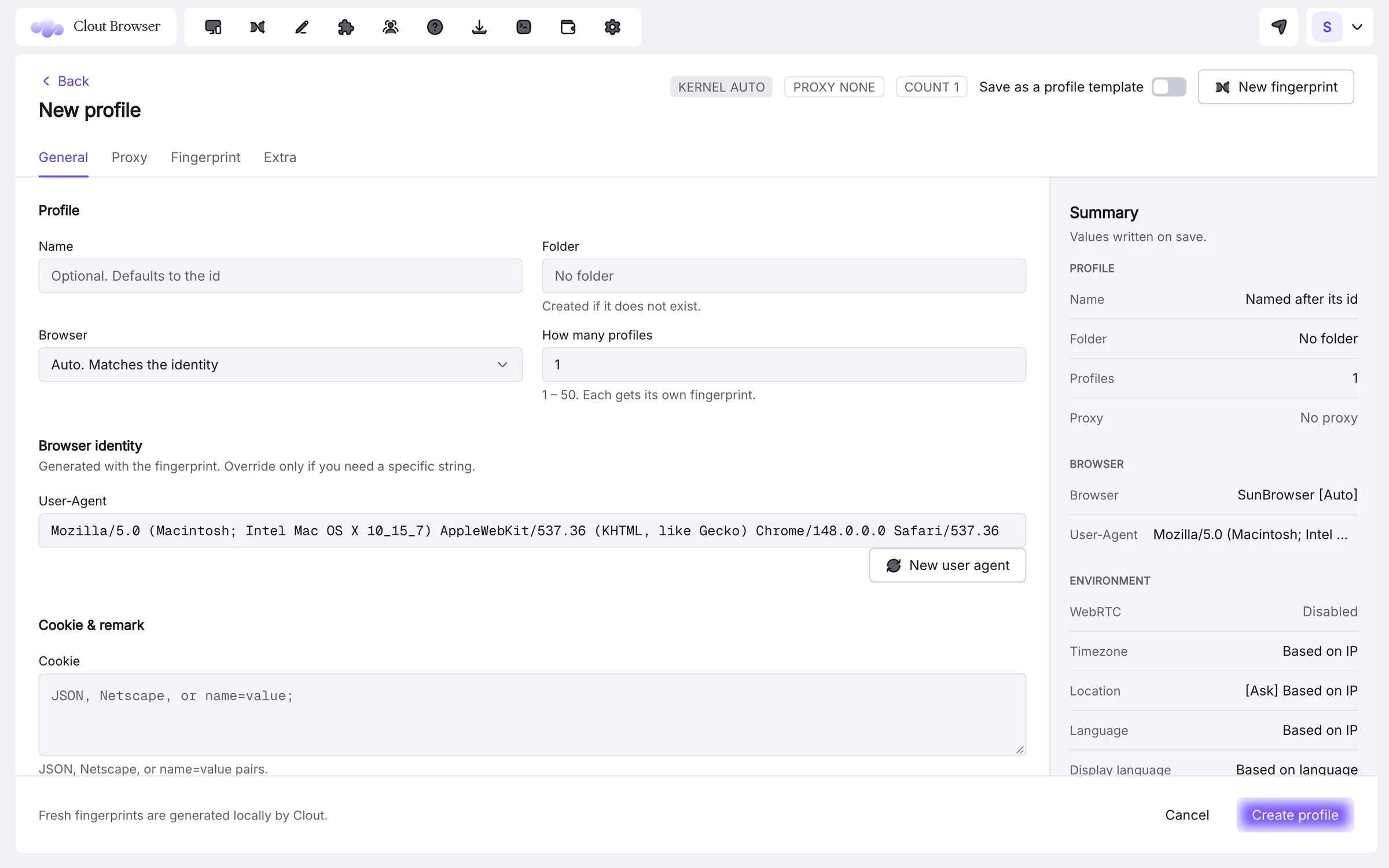
The same profile on a Mac and on Windows
Every profile has a Mac identity and a Windows identity. On a Windows computer it starts as a real Windows PC, with a Windows user agent and a graphics card from the same family as that computer’s; on a Mac it starts exactly as before. Both share the profile’s logins, cookies, proxy, noise and settings, and they sync with your account.
- See both under Edit › Fingerprint, with the one this computer uses marked
- cloutctl profile os shows a profile’s two identities
- Nothing to set up: it is on for every profile
Network and location, deliberately
WebRTC can be disabled, replaced, forwarded, left as this computer’s or sent through the proxy over UDP. Time zone, geolocation and language can follow the exit IP, so a profile in Berlin speaks German at Berlin time. Location requests can be asked for each time.
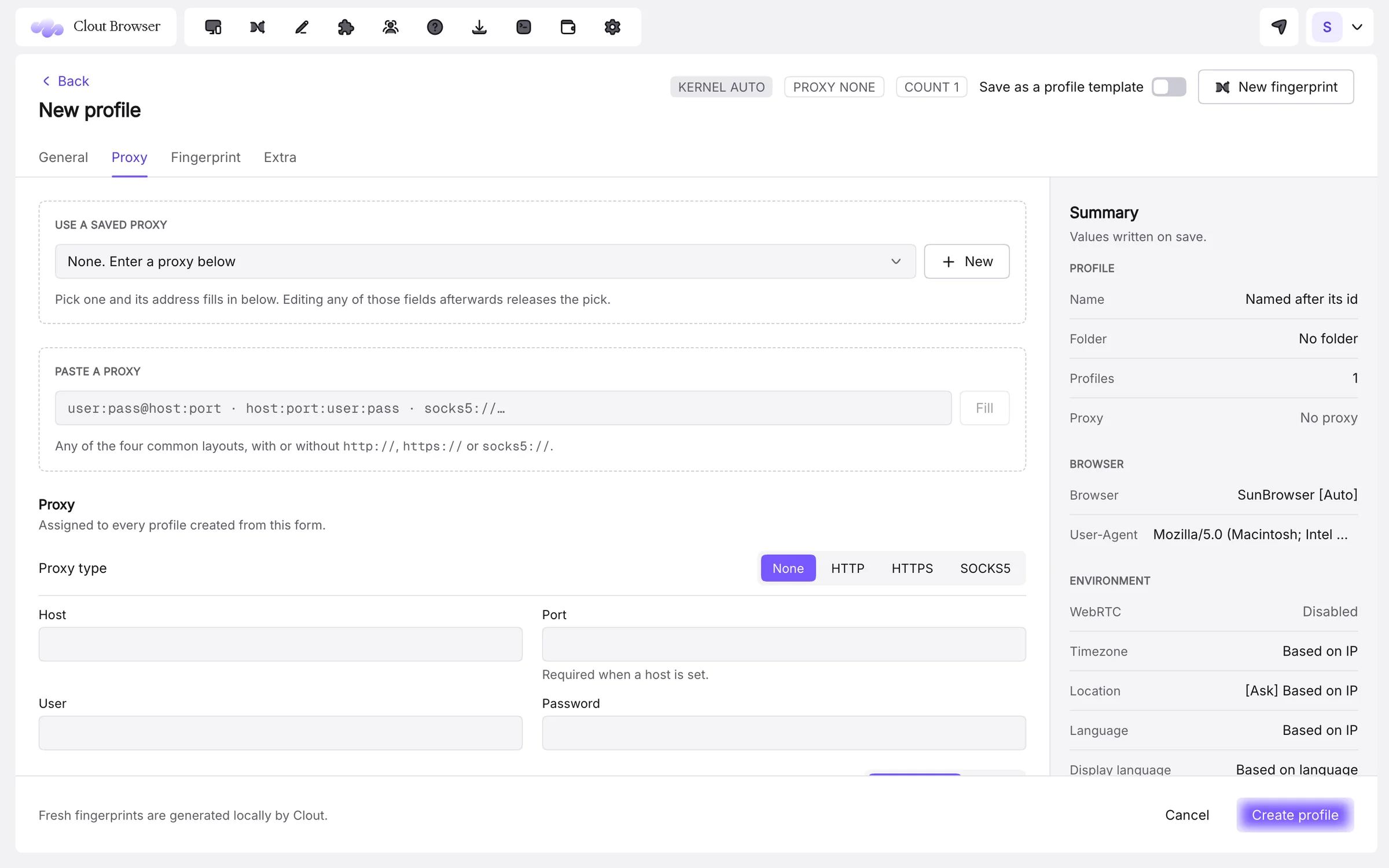
Two engines, pinned per profile
SunBrowser opens AdsPower-format profiles, downloaded and version-pinned by Clout; Chroma opens Kameleo’s, from Kameleo’s own install. A profile keeps the engine version it was made for until you move it.
Two engines, pinned per profile
Every setting, documented.
The docs cover each screen and option, with the limits stated plainly.
Is Clout Browser undetectable?
Can I edit a profile’s fingerprint?
What is the Windows identity for?
How do I check a profile’s fingerprint?
Should I re-roll noise on every launch?
Can I generate a new identity before saving?
Your accounts, each in its own browser. Today.
Download free, import your profiles in minutes and pay $9 a month for 100 of them. Every plan is free for 3 days.
- 100 profiles for $9 a month
- Imports AdsPower, Multilogin, Dolphin, GoLogin, Kameleo
- Mac, Windows and Linux
The rest of the browser.
A proxy per profile, checked before anyone signs in.
Read →LiteTunnel™Spend less proxy data without changing a profile.
Read →TeamsHand over an account without handing over a password.
Read →Computers and syncYour profiles, on every computer you work from.
Read →AutomationEvery profile, from a script or an AI agent.
Read →ImportSwitch in an afternoon. Keep every fingerprint.
Read →Your accounts deserve a better browser.
One profile free for as long as you like. Every plan free for 3 days. Cancel any time.