Launch prices end 31 Dec. Subscribe before then and keep yours · Lock my price

How to manage multiple Instagram accounts.

Managing a roster of Instagram accounts from one browser means signing in and out all day and leaving each account’s traces on the others. A profile per account keeps every session signed in and apart.

The problem

What ties Instagram accounts together.

Used from one ordinary browser, every account you run shares the same traces. Clout Browser gives each its own.
  • Account suggestions and Accounts Center links that follow a shared device
  • Shared cookies and storage from switching accounts in one browser
  • Many accounts behind one IP address
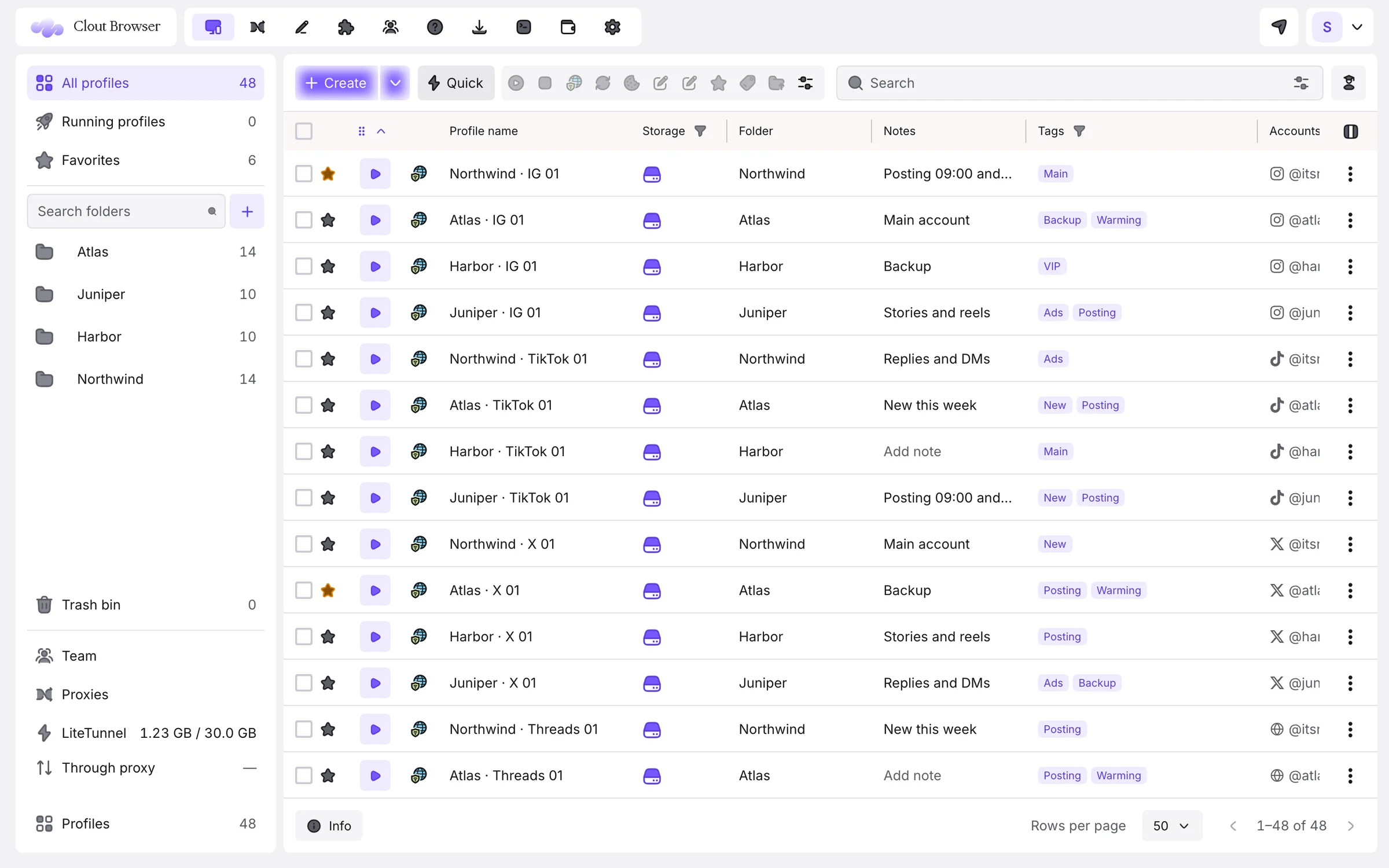
Clout Browser profiles, one per Instagram account, filed in folders with notes, tags and the signed-in account
The setup

Run Instagram accounts the right way, in four steps.

For social media managers, creator agencies and brands with regional accounts.

  1. Download Clout Browser

    Free for macOS, Windows and Linux. Sign in with Google or an email code.

  2. One profile per Instagram account

    Create them one by one or in a batch from a template; each gets its own consistent fingerprint.

  3. Give each a proxy

    Mobile or residential proxies suit Instagram’s mobile-first traffic; give each account its own sticky exit.

  4. Sign in once

    Sign in to Instagram inside each profile. It stays signed in on every computer you and your team use.

Instagram tips

What the pros do differently.

Signed in for good

Each profile keeps its own cookies, storage and IndexedDB, so an account opens signed in on any of your computers.

Match the account’s market

Let time zone and language follow the proxy so a São Paulo account browses in Portuguese at São Paulo time.

Folders per client

File every client’s Instagram, TikTok and X profiles together with notes and tags.

Teams: Give a freelancer the Employee rank and one client’s folder; they post without ever seeing the password.

Every Instagram account, its own browser.

Download free, import your profiles in minutes and pay $9 a month for 100 of them. Every plan is free for 3 days.

  • 100 profiles for $9 a month
  • Imports AdsPower, Multilogin, Dolphin, GoLogin, Kameleo
  • Mac, Windows and Linux
Get my fleet planDownload freeOne profile free forever. No credit card for the download.
FAQ

Questions, answered.

Something else? Ask us on Telegram. We answer fast and we don’t bite.

How many Instagram accounts can I manage?
As many profiles as your plan holds: 100 for $9 a month, up to 10,000. Instagram sets its own rules on how many accounts a person or business may run and how they may be used together. Read them, and run only the accounts you are allowed to.
Do I need a different proxy for each account?
For established accounts, yes: a stable exit per account keeps each one looking like the same person on the same network.
How much does it cost to run Instagram accounts in Clout Browser?
$9 a month for 100 profiles, $29 for 500 and $49 for 1,000, with team seats and computers included. One profile is free.
Can I bring profiles from another antidetect browser?
Yes. Clout Browser imports from AdsPower, Multilogin, Dolphin Anty, GoLogin and Kameleo; AdsPower profiles keep their format and engine.
Other platforms

Running accounts elsewhere too?

Your accounts deserve a better browser.

One profile free for as long as you like. Every plan free for 3 days. Cancel any time.