Launch prices end 31 Dec. Subscribe before then and keep yours · Lock my price

How to manage multiple YouTube accounts.

Channel managers juggle Google accounts for every creator they work with. A profile per channel keeps each Google sign-in, Studio session and cookie jar separate and signed in.

The problem

What ties YouTube accounts together.

Used from one ordinary browser, every account you run shares the same traces. Clout Browser gives each its own.
  • Several Google accounts signed in to one browser
  • Shared cookies between channels
  • Every channel managed from one IP
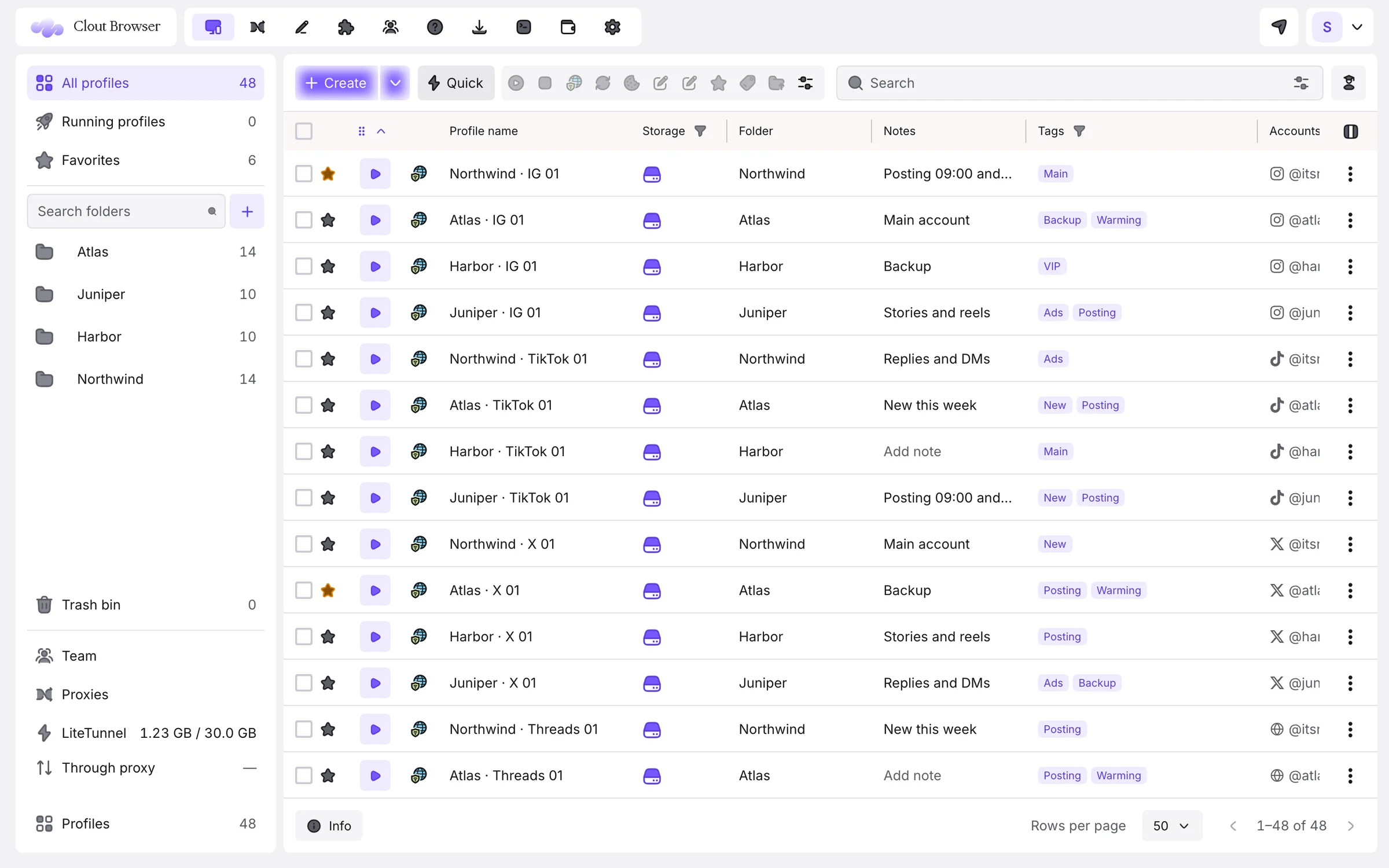
Clout Browser profiles, one per YouTube account, filed in folders with notes, tags and the signed-in account
The setup

Run YouTube accounts the right way, in four steps.

For channel managers and agencies running several creators’ channels.

  1. Download Clout Browser

    Free for macOS, Windows and Linux. Sign in with Google or an email code.

  2. One profile per YouTube account

    Create them one by one or in a batch from a template; each gets its own consistent fingerprint.

  3. Give each a proxy

    A residential exit in the channel’s home country, kept stable.

  4. Sign in once

    Sign in to YouTube inside each profile. It stays signed in on every computer you and your team use.

YouTube tips

What the pros do differently.

One Google account per profile

No account chooser, no wrong-channel uploads: each profile opens one creator’s Google account.

Lighter on data

LiteTunnel™ tunes what pages pull on every other site, so a long Studio session spends less proxy data.

Extensions per channel

Install your SEO and analytics extensions only in the profiles that use them.

Teams: Editors open the channels they edit; owners keep the Google passwords.

Every YouTube account, its own browser.

Download free, import your profiles in minutes and pay $9 a month for 100 of them. Every plan is free for 3 days.

  • 100 profiles for $9 a month
  • Imports AdsPower, Multilogin, Dolphin, GoLogin, Kameleo
  • Mac, Windows and Linux
Get my fleet planDownload freeOne profile free forever. No credit card for the download.
FAQ

Questions, answered.

Something else? Ask us on Telegram. We answer fast and we don’t bite.

Why not use the Google account switcher?
The switcher keeps every account in one browser, sharing cookies and device. A profile per account keeps them apart and lets teammates open one without the others.
Can I upload large videos through a proxy?
Yes, but uploads spend proxy data; pick a plan with enough bandwidth from your provider.
How much does it cost to run YouTube accounts in Clout Browser?
$9 a month for 100 profiles, $29 for 500 and $49 for 1,000, with team seats and computers included. One profile is free.
Can I bring profiles from another antidetect browser?
Yes. Clout Browser imports from AdsPower, Multilogin, Dolphin Anty, GoLogin and Kameleo; AdsPower profiles keep their format and engine.
Other platforms

Running accounts elsewhere too?

Your accounts deserve a better browser.

One profile free for as long as you like. Every plan free for 3 days. Cancel any time.